
Malicious WhatsApp ZIP Files Can Steal Passwords, Banking Details, Expert Warns
Suspicious ZIP files circulated through messaging platforms such as WhatsApp could expose users to malware that steals passwords, banking credentials and personal information, said an expert.
Deputy Dean (Academic and Technology) of the Malaysian Institute of Information Technology, Universiti Kuala Lumpur (UniKL MIIT), Dr Shafiza Mohd Shariff, said the malware could collect information stored on users’ devices, including login credentials, and monitor their banking activities.
She said the malicious software could capture users’ keystrokes, collect passwords and other login credentials, access information stored on their devices and monitor their activities, particularly those involving financial applications.
She recommended installing antivirus software on mobile devices and keeping it running in the background at all times to detect and quarantine malicious files.
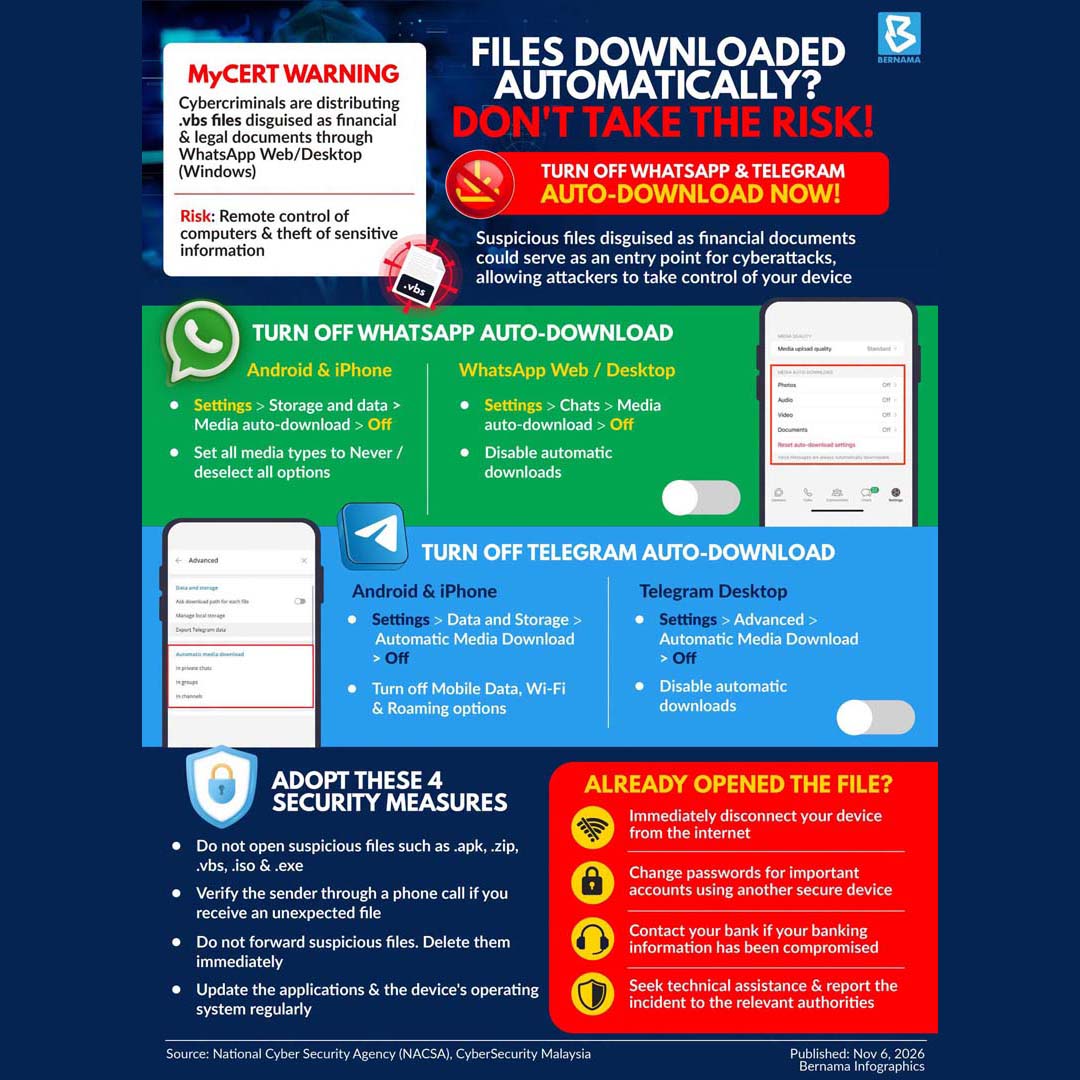
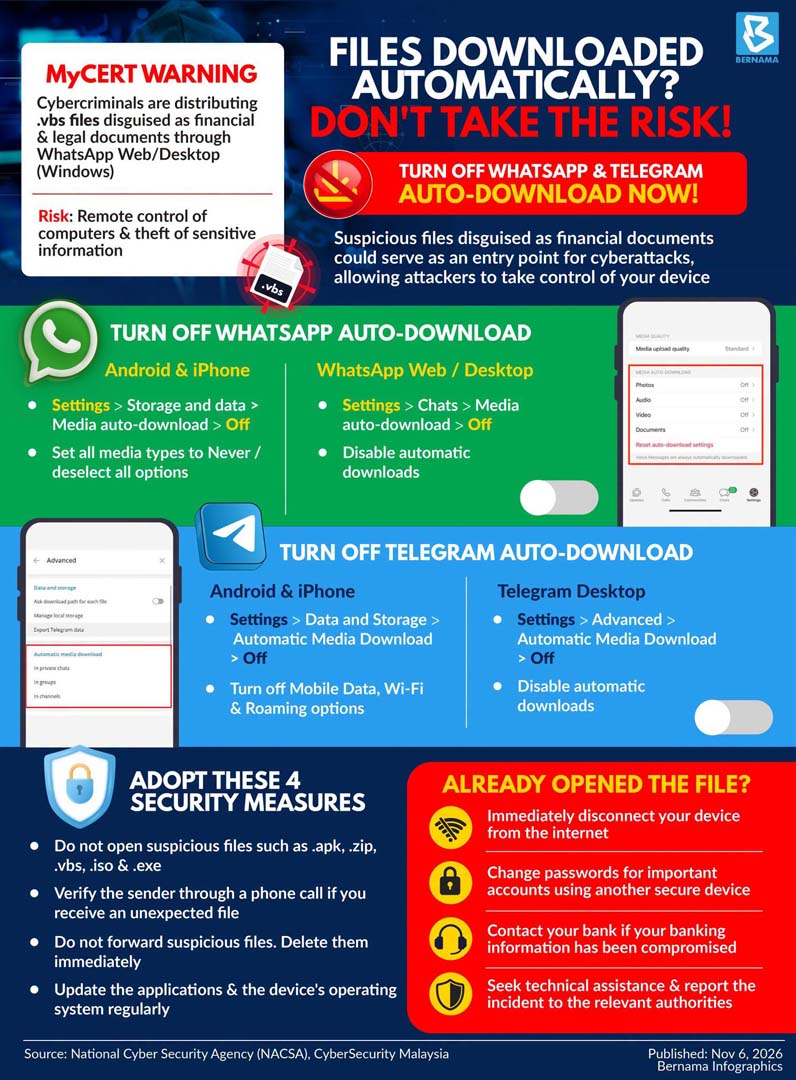
On Oct 29, the Malaysia Computer Emergency Response Team (MyCERT) issued an advisory on an active campaign in Malaysia involving malicious files disguised as financial and payment documents and distributed through WhatsApp.
According to MyCERT, the files were disguised as invoices, statements of account, electronic statements and compiled payment documents, with recipients instructed to open or extract the ZIP attachments on a computer.
MyCERT said its analysis found that running the programmes embedded in the ZIP archives could install remote-control malware on Windows computers, potentially giving attackers control over affected devices.
Meanwhile, the Malaysian Communications and Multimedia Commission (MCMC), in a Nov 4 advisory, warned of increased risks involving suspicious ZIP files, attachments and links circulated through WhatsApp.
MCMC said scammers might impersonate known individuals or trusted parties to persuade recipients to open suspicious files or follow links, potentially resulting in malware infections, personal information leaks, unauthorised access to devices or WhatsApp accounts, and account takeovers.
– Bernama (6 November 2026)
ADVICE FOR CONSUMERS: Do not download or open suspicious files. Adopt security measures as a precaution. If you have opened suspicious files, know what you should do. Files downloaded automatically? Learn how to turn off auto downloads